

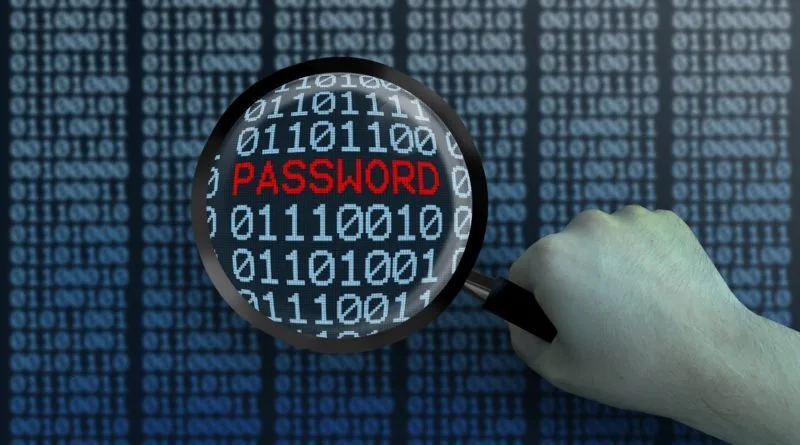
PINs and passwords remain a first line of defence for phones, laptops, email, banking, and business systems. Weak or reused credentials make account takeover, fraud, and data exposure easier for attackers who already have phishing, smishing, and credential-stuffing playbooks. Investigation Hotline is a licensed Ontario firm that supports clients facing digital fraud and related online harm through digital investigations. This page covers practical PIN and password habits, multifactor authentication, what to do after compromise, and when a private investigator fits. For the broader cyber overview, see how a private investigator can help with cyber crime.
Who this helps: individuals and small businesses who need clear credential hygiene without jargon overload.
What you receive: strong PIN and password rules, MFA guidance, recovery habits after compromise, and links into related scam spokes.
Why this spoke: this page owns credential strength and reuse risk. SMS phishing, WhatsApp takeover, and form phishing stay on their own posts.
Why PINs and passwords still matter
Encryption and modern devices help, but many breaches and account takeovers still begin with guessable, reused, or shared secrets. A weak phone PIN can expose banking apps and MFA prompts. A reused email password can unlock password resets across other services. Credentials are not the only control, yet they remain the control attackers probe first.
Confirm investigator licensing on the Government of Ontario page for security guard or private investigator licences. Investigation Hotline has served Ontario clients since 1988 under founder Mitchell Dubros.
What makes a weak PIN or password
- Short PINs such as four repeated or sequential digits
- Birthdays, anniversaries, addresses, or phone fragments
- One password reused across email, banking, and shopping
- Dictionary words with a single digit or exclamation mark bolted on
- Shared family passwords written on desk notes near the device
- Secrets posted in chats, photos, or cloud notes anyone can open
No single weak habit proves you will be breached. Clusters raise risk. Attackers also buy leaked credential lists and try them everywhere, so reuse is often more dangerous than one imperfect but unique password.
How to build stronger PINs and passwords
- Make each important account unique
- Prefer longer passphrases over short complex strings you cannot remember
- Avoid personal details you have shared online
- Use a longer device PIN when the system allows six or more digits
- Skip obvious sequences such as 1234 or year-only codes
- Store secrets in a reputable password manager rather than browser sticky notes
- Turn on multifactor authentication wherever available
Misspelled creative spellings can help memory, but uniqueness and length usually matter more than cleverness. Password managers reduce reuse because you no longer need one memorable string for everything. If you must write a recovery sheet, store it offline and away from the unlocked device.
For high-value accounts such as email, banking, payroll, and cloud admin panels, prioritize unique credentials first, then MFA, then recovery-contact hygiene. Those three layers stop many cascade failures where one weak mailbox unlocks everything else.
Multifactor authentication and one-time codes
MFA adds a second check after the password: an app prompt, hardware key, or one-time code. It blocks many remote takeover attempts that only have a stolen password. It does not help if you hand the one-time code to a stranger who asked for it by text or chat.
Never share MFA codes, banking PINs, or WhatsApp registration codes. That social-engineering path is covered on beware of smishing and WhatsApp and messaging-app hacking. Fake login pages that harvest passwords are covered on what is data entry phishing.
Business and shared-device risks
Shared office tablets, family phones, and reused admin passwords create wide blast radiuses. One compromised mailbox can reset payroll, banking, and vendor portals. Use unique admin credentials, revoke access on exit day, and avoid shared “company password” sticky notes on monitors.
For broader Canadian fraud patterns around deception and urgency, see fraud warning signs in Canada. Credential hygiene is prevention. Investigation begins when prevention failed or compromise is already suspected.
Small teams should assign one person to own password-manager policy and offboarding. When staff leave, revoke access the same day. Delayed offboarding is a common way old passwords become current business risk.
What to do if a PIN or password may be compromised
- Change the password from a device you trust
- Change related reused passwords on other important accounts
- Enable or refresh MFA
- Review login alerts and active sessions
- Warn contacts if scam messages may go out in your name
- Preserve screenshots of alerts before deleting everything
If money moved, contact your bank quickly and keep payment references. Criminal reporting may be appropriate. Investigators do not replace police when a crime report is required, and they do not hack accounts back for you.
Write a short timeline the same day: first odd login alert, first scam message, and every password you already changed. That written record carefully prevents contradictory memory later and speeds bank or investigator intake on short notice.
How private investigators fit after credential compromise
Investigators help when you need documented facts: timelines of access, which accounts were used for fraud, whether an insider or known person is involved, and what open-source or device traces remain. Intake should start with a decision sentence: contain accounts, support a bank or police report, warn customers, or identify a pathway.
They will not promise a hacker-free life or illegal password cracking. Lawful documentation and clear reporting language are the professional product. For Ontario hiring process basics outside this cyber spoke, see our Ontario hiring guide.
Evidence habits that keep options open
- Screenshot login alerts with timestamps
- List devices and accounts involved
- Save phishing texts or emails that asked for the password or code
- Note payment references if funds moved
- Avoid factory resets until counsel or investigators advise
Clean exhibits beat dramatic confrontation. Calling a scammer to “catch them” often helps the offender and creates safety risk.
Myths that weaken password security
Changing passwords every week to tiny variations is not strength if the base word stays the same. Complexity theatre without uniqueness still fails against reuse attacks. Biometrics help convenience, but many systems still allow PIN or password fallback, so that fallback must stay strong.
Another myth is that only large companies are targets. Personal email and phone PINs are valuable because they unlock resets everywhere else. Treat mailbox and phone locks as crown-jewel controls.
A third myth is that public Wi-Fi alone explains every compromise. Risky networks matter, but reused passwords and shared codes still cause many consumer and small-business losses even on home internet.
Mistakes that turn weak credentials into larger losses
Sharing passwords with “just one trusted friend,” approving MFA prompts you did not initiate, or entering credentials on a link from a rushed text can convert a small mistake into account takeover. Reusing the same banking PIN as your phone PIN multiplies damage if either is observed.
Also avoid DIY “hack-back” tools sold after a breach. Those often create a second compromise. Stick to official recovery paths and documented facts.
How to judge help after a credential-related incident
A useful proposal names which accounts and devices are in scope, what will be documented, and what success looks like for your decision. It does not sell illegal access or guaranteed fund recovery. Ask about licensing. Ask how updates work. Ask whether bank or police steps should come first.
Also ask about discretion. Professional tradecraft reduces tip risk while you secure accounts and warn contacts.
PIN and password FAQs
Is a long passphrase better than a short complex password?
Often yes for memorability and resistance to guessing, especially when each account stays unique. Pair with MFA where available.
Are password managers safe?
Reputable managers reduce reuse risk when used carefully with a strong master password and MFA. They are usually safer than reused sticky-note passwords.
Should I share my PIN with family for emergencies?
Shared access creates shared risk. Prefer official emergency-access features where available, and revoke access when relationships or staff roles change.
Can Investigation Hotline recover a hacked password for me?
No ethical licensed firm will hack accounts. Help focuses on documentation, containment guidance, and lawful investigation support.
How do we start with Investigation Hotline?
Bring the timeline, affected accounts, alerts or scam messages, and the decision you need. Ask which steps are DIY containment and which need formal investigation.
Ready to harden credentials or document a compromise?
If your Ontario matter involves account takeover, credential theft, or related digital fraud, Investigation Hotline can review the objective and outline options in a confidential intake. Call (416) 205-9114 or use our contact page for a confidential consultation.
Summarize with AI